Home screen
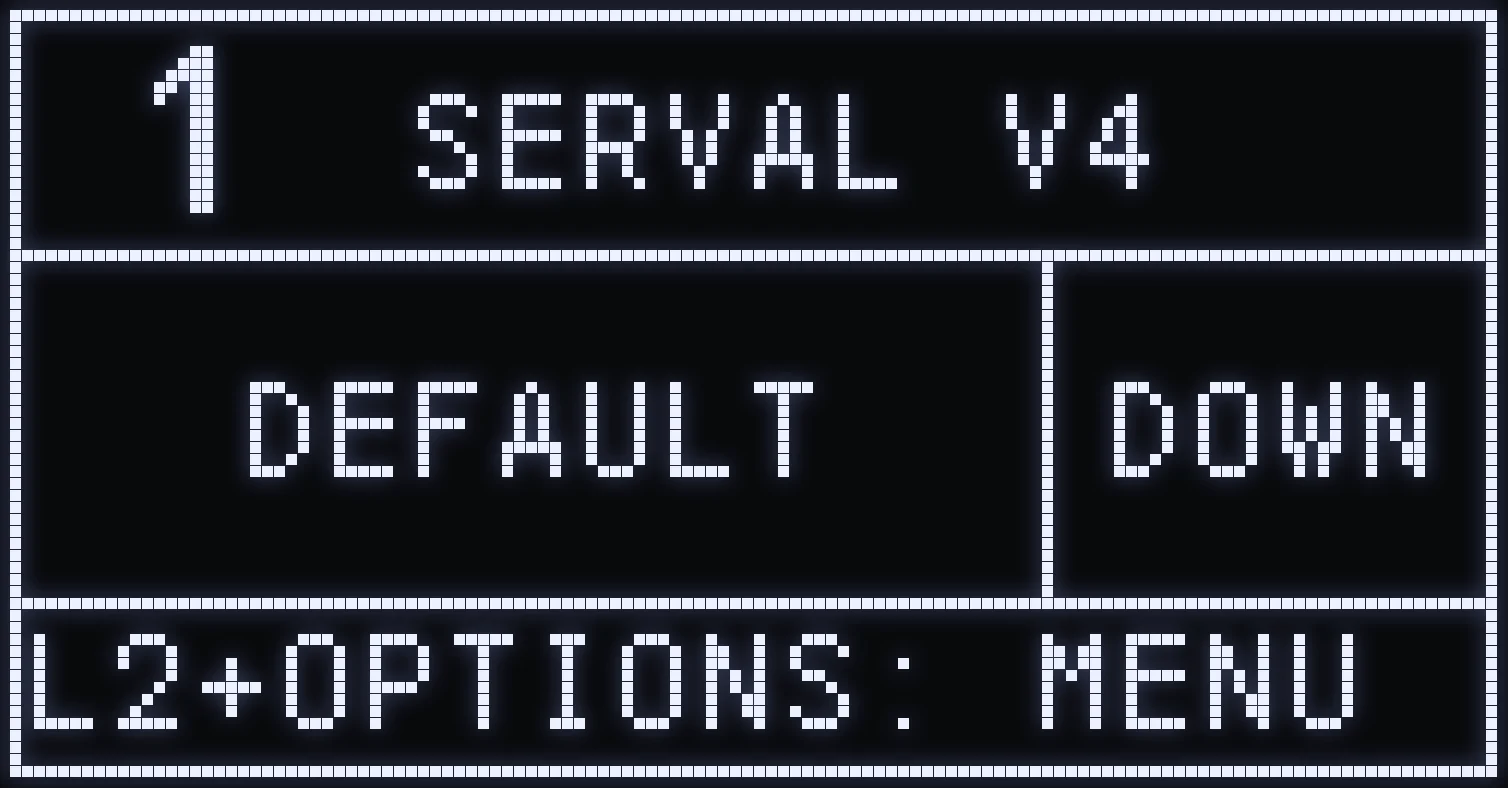
The home screen shows the name of the selected weapon and your character's stance (UP / DOWN).
HOME SCREEN
🎯 WHAT IT SHOWS
- 1 SERVAL V4: the profile number (1), then the script name and its version. - DEFAULT DOWN: the name of the selected weapon (DEFAULT) and your stance (DOWN = crouched). - The bottom of the screen shows scrolling information.
🎮 STANCE
- UP: BLUE LED 🔵. - DOWN: GREEN LED 🟢.
The Cronus LED changes color (green / blue) depending on the stance shown, with a breathing animation.
Frequently asked questions
What do UP and DOWN mean on the home screen?
It's the stance the script applies: UP = standing, with the blue LED, and DOWN = crouched, with the green LED. The anti-recoil isn't the same in both stances, so it must always match your character's.
The stance shown no longer matches my character, what should I do?
Hold TRIANGLE / Y then press L1 / LB to switch from DOWN to UP or the other way around. Make sure you're already holding TRIANGLE before you press L1.
How do I know which weapon is selected?
Its name is shown in the middle of the home screen. DEFAULT means no weapon is selected: there's no preset anti-recoil, so you can set it yourself.