Apex Legends Cronus Zen Script: SPHINX Guide
Cronus Zen tutorial for Apex: starting settings and the basics of the SPHINX script.
SPHINX is a Cronus Zen script designed for Apex Legends players. This guide explains how to set up the controls, understand the settings and adapt the script to the way you play on controller.
Find the tutorials on per-weapon anti-recoil, Aim Assist (Radius and Speed), sensitivities, profiles and shortcuts. The explanations walk you through the menus and let you change the settings gradually, without confusing the script's features with the game's built-in aim assist.
SPHINX is a Cronus Zen script built for Apex. This guide shows you how to set up its features, understand the main menus and start from a clean configuration before fine-tuning anti-recoil, aim assist and sensitivities to suit the way you play.
Button names are given for a PS5 controller (CROSS CIRCLE SQUARE TRIANGLE L1/L2/R1/R2…). On Xbox: A = CROSS, B = CIRCLE, X = SQUARE, Y = TRIANGLE, LB / LT / RB / RT, VIEW = SHARE, MENU = OPTIONS, XBOX button = PS, pairing button (the small Bluetooth button on top of the Xbox controller) = TOUCHPAD.
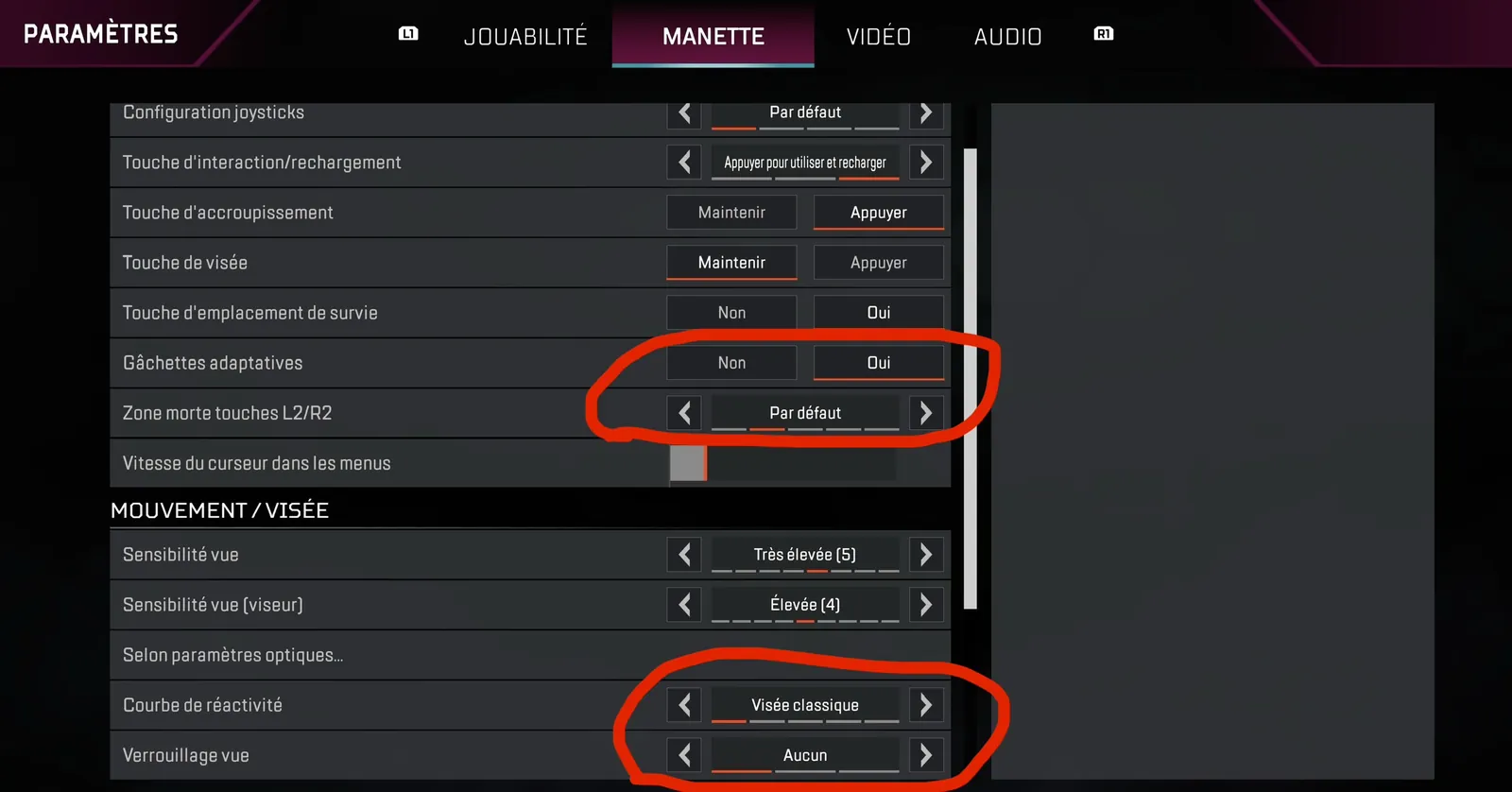
CLASSIC CURVE
Recommended settings, circled in red on the screenshot, if you play with a CLASSIC curve.
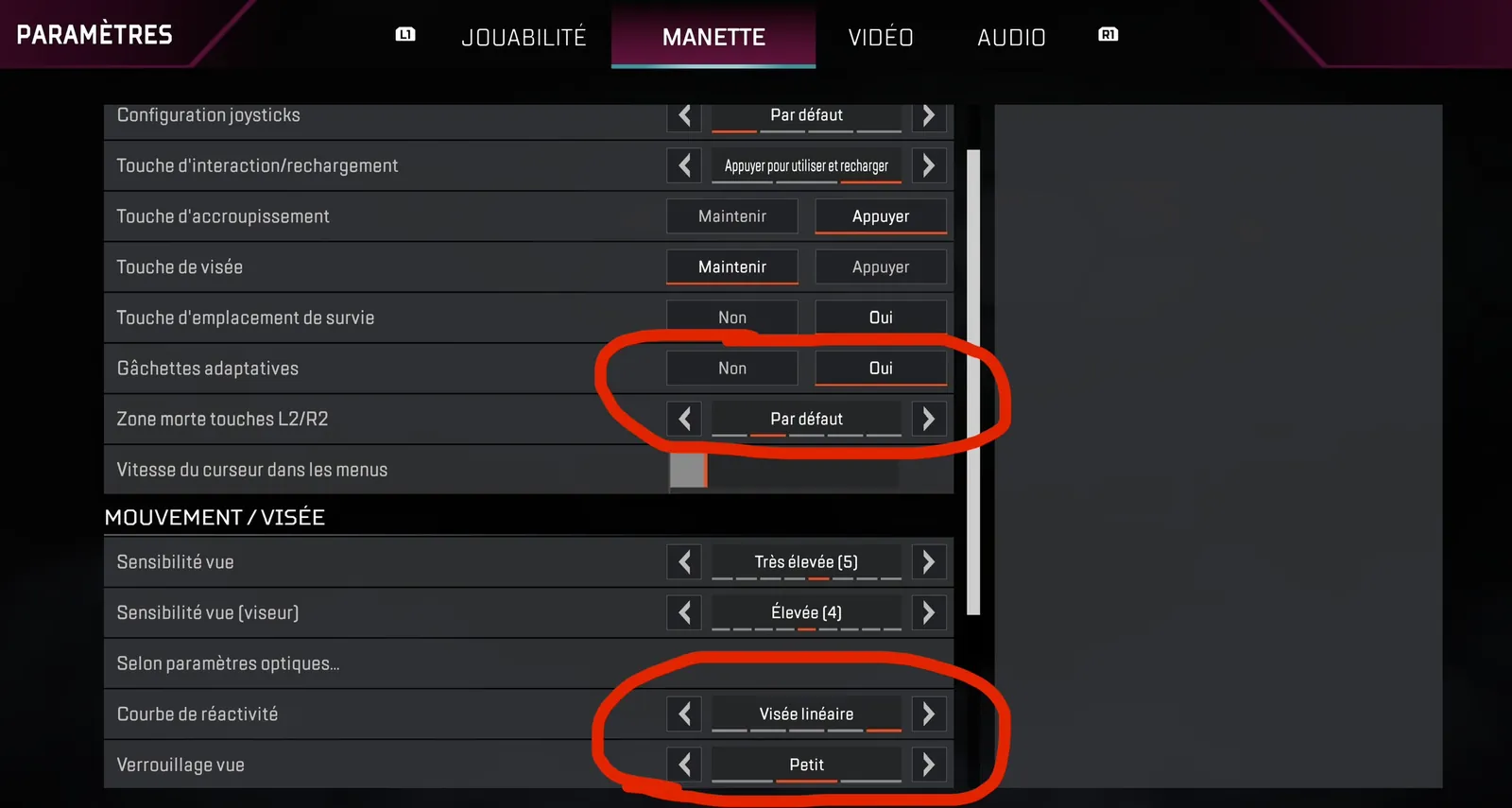
LINEAR CURVE
Recommended settings, circled in red on the screenshot, if you play with a LINEAR curve.
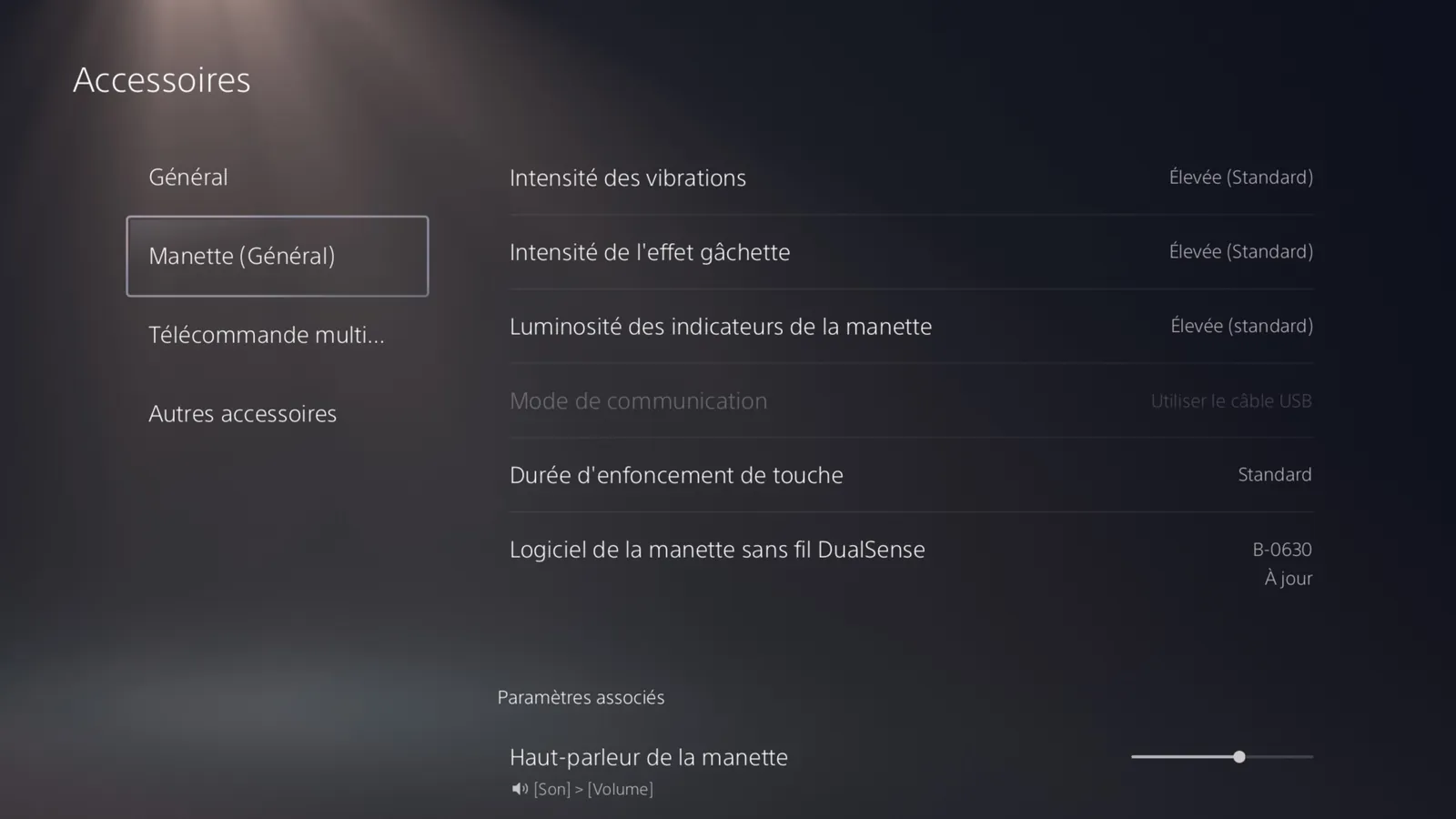
PS5 VIBRATION AND TRIGGERS
(#ff5a6a:❗ IMPORTANT: On PS5, don't forget to set Vibration Intensity and Trigger Effect Intensity to Strong (the default level).)
This is mandatory: the script uses them to know when you're firing and to recognize your weapon. Without it, anti-recoil and auto-detection won't work properly.
Frequently asked questions
Which controller settings should I use in Apex with SPHINX?
The Basic settings page shows, circled in red, the recommended settings for the CLASSIC curve and for the LINEAR curve. Use the screenshot that matches the curve you use in game.
Why isn't my anti-recoil working on PS5?
Check Vibration Intensity and Trigger Effect Intensity in the PS5 settings: they must be set to Strong (the default level). The script uses them to know when you're firing and to recognize your weapon.
Does SPHINX work with an Xbox controller?
Yes. The guide gives the PS5 buttons with their Xbox equivalents: A = CROSS, B = CIRCLE, X = SQUARE, Y = TRIANGLE, VIEW = SHARE, MENU = OPTIONS. The pairing button, the small Bluetooth button on top of the controller, replaces the TOUCHPAD.