Per-weapon anti-recoil
This menu sets the vertical and horizontal recoil compensation for a single weapon (and its current sight), unlike general anti-recoil, which affects every weapon.
OPENING AND CONTROLS
In game, hold L2 / LT and press PS / XBOX: the setting opens directly for your CURRENT weapon and sight.
- LEFT: go to the VERTICAL setting. - RIGHT: go to the HORIZONTAL setting. - UP / DOWN: adjust the value (hold = fast scroll). - CROSS: open the PHASE setting (see below). - CIRCLE: exit and save.
TUNING BY PHASE
🎯 WHY?
A weapon's recoil isn't constant: it climbs hard on the first rounds, settles, then drifts to the sides. The vertical / horizontal setting above acts on the whole recoil at once: if you lower the vertical, you lower it from start to finish.
PHASES split the weapon's recoil into 5 consecutive slices that you tune independently. You only fix the moment that's causing trouble, without touching the rest.
📝 EXAMPLE: your Flatline climbs too much on the first 3 rounds, but the rest is perfect: adjust PHASE 1 only, phases 2 to 5 stay unchanged.
🎮 OPENING
From the per-weapon anti-recoil menu, press CROSS. PHASE 1 is displayed.
⚙️ CONTROLS
- RIGHT / LEFT: change phase (1 → 2 → 3 → 4 → 5, looping). - Hold L2 / LT + UP / DOWN: set the vertical of the displayed phase. - Hold L2 / LT + RIGHT / LEFT: set the horizontal of the displayed phase. - CIRCLE / B: back to the per-weapon anti-recoil menu.
💡 TIP: without L2, the arrows change phase; with L2, they set the values. That's the only thing to remember.
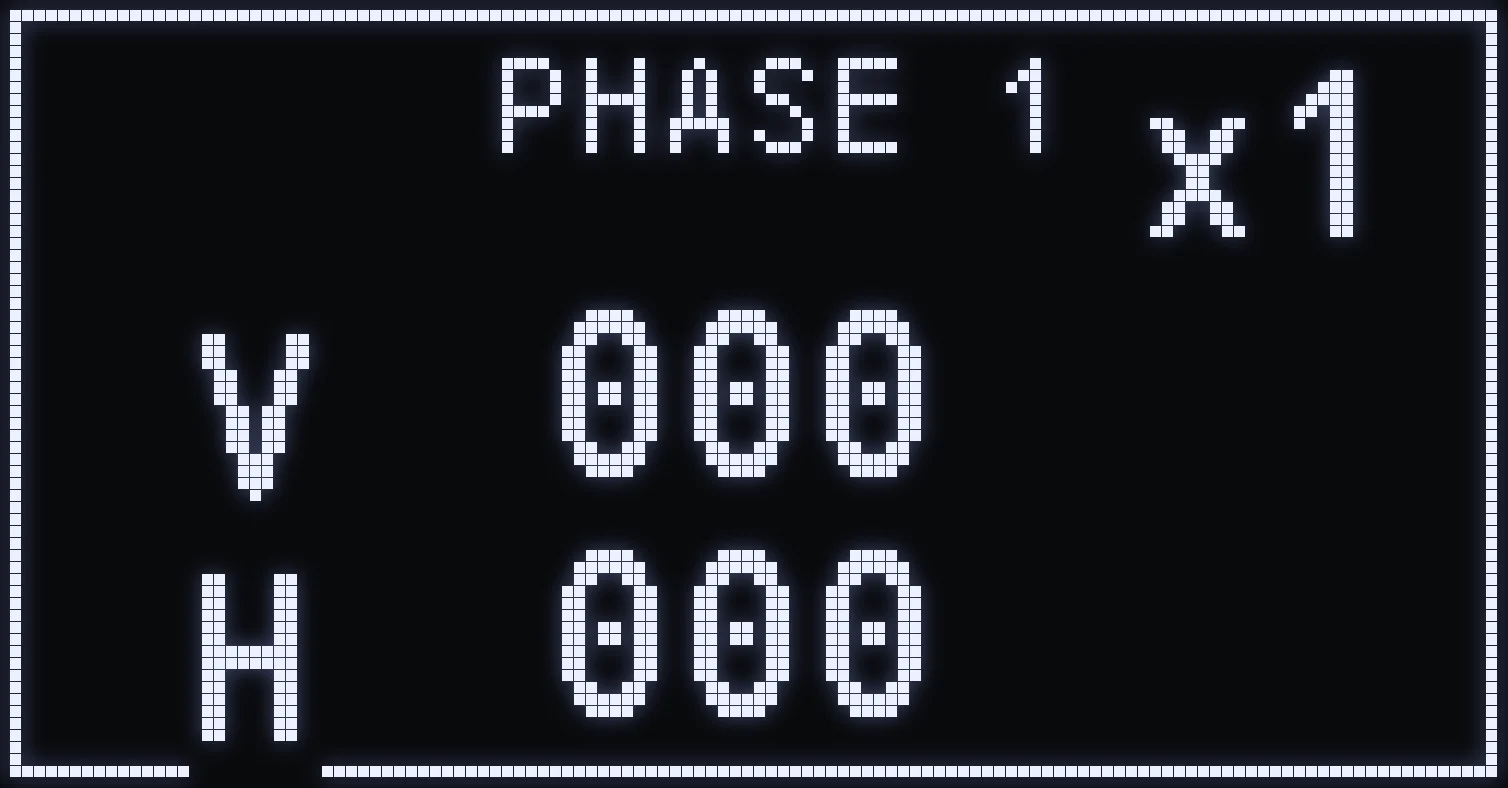
PHASE TUNING SCREEN
- Top: the phase you're tuning. - Top right: the sight level it applies to. - V (vertical): a positive value compensates more downward, a negative value reduces the compensation. - H (horizontal): a positive value shifts to the right, a negative value to the left. - Range: −49 to +49. A value of 0 means no correction on that phase.
(#ff5a6a:❗ IMPORTANT: phases are tied to the SIGHT. Each weapon has 5 phases for each of its 4 sight levels (x1, x2, x3, x4), so 20 independent settings per weapon. What you set in x2 only applies in x2, because recoil doesn't feel the same depending on the zoom. Always check the indicator at the top right of the screen before tuning.)
RECOMMENDED METHOD
1. Go to the Firing Range with your weapon and the sight you usually use. 2. Empty a mag while aiming at a wall and watch when your spray starts to slip. 3. Find the zone: start of the spray → PHASE 1 · middle → PHASE 3 · end → PHASE 5. 4. Adjust 1 step at a time, spray again, fine-tune. 5. Only change one phase at a time, otherwise you won't know what caused the change.
❗ IMPORTANT: switch to OFF ENNEMI, enemy mode off, if you're shooting at a wall.
Settings are saved automatically as soon as you change them.
⚠️ WARNING: phases add on top of the weapon's vertical / horizontal setting. Set the weapon's overall compensation first, then fine-tune with the phases if needed.
Frequently asked questions
How do I set the recoil for a single weapon?
In game, hold L2 / LT and press PS / XBOX: the setting opens for the weapon and sight you're holding. LEFT for vertical, RIGHT for horizontal, UP / DOWN for the value, then CIRCLE / B to exit and save.
What are anti-recoil PHASES for?
They split the weapon's recoil into several moments of the spray, each tuned separately. You only fix the moment where your spray slips, without touching the rest.
Why do the arrows change phase instead of setting the value?
Without L2 / LT, the arrows move from one phase to the next. Hold L2 / LT to set the vertical with UP / DOWN and the horizontal with LEFT / RIGHT.
My setting doesn't apply with another sight, is that normal?
Yes: phases are tied to the sight. What you set in x2 only applies in x2, so check the sight indicator at the top right of the screen before tuning.